Features

Everything a pilot's month needs. Nothing it doesn't.

Crenley starts where your month starts — the roster — and carries every duty through to a logbook you can trust and reports you can hand over.

Roster & calendar

Import the plan once. Watch it change.

Bring in the published roster and Crenley lays your month out as a calendar — then shows, clearly, what changed when the next version arrives.

  • Roster import

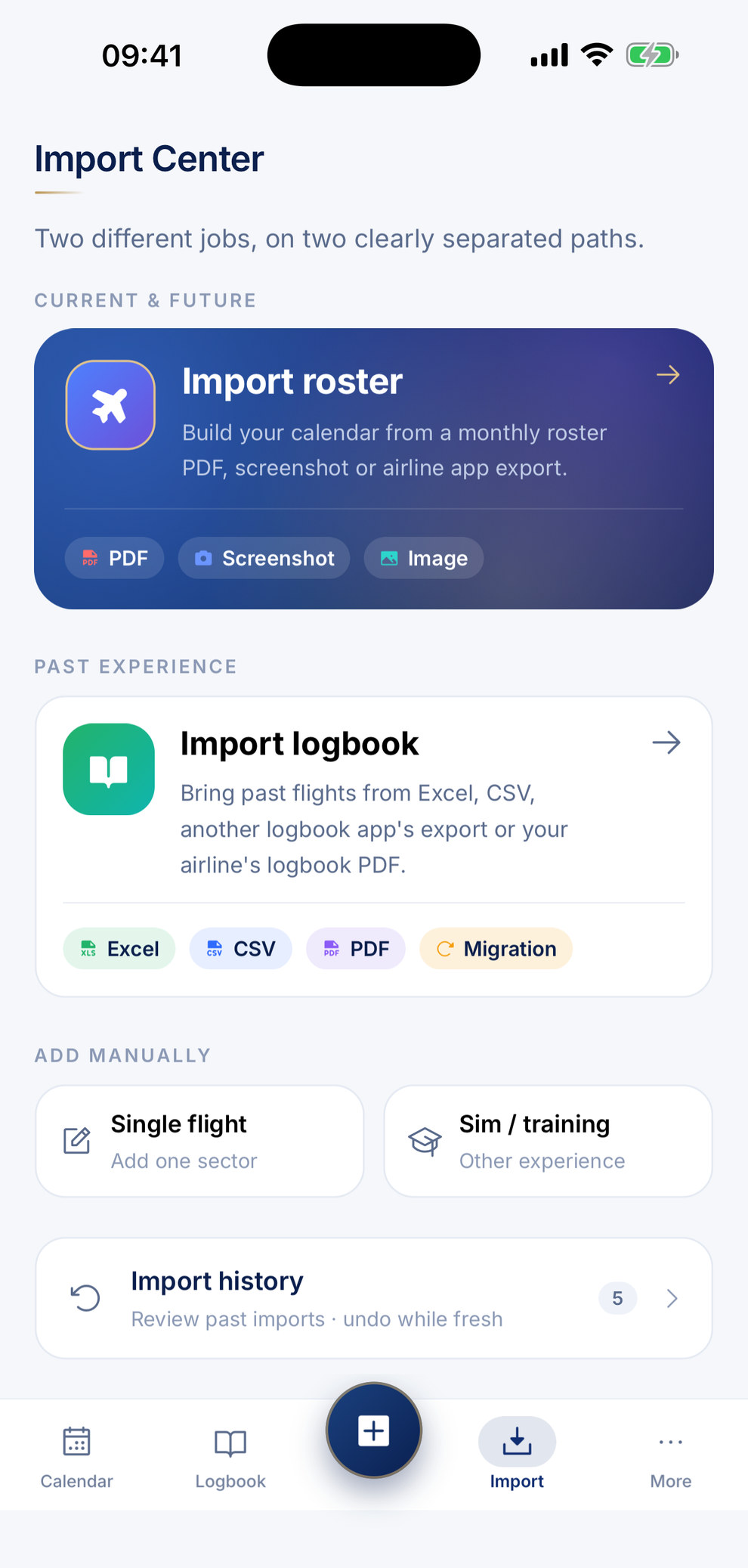
    PDF, screenshot, image or airline app export, read into duties, sectors, report times and crew.

  • Month, week and day

    Flights, standby, positioning, simulator, layovers and days off, each in its own colour.

  • Published vs actual

    Every difference between the plan and what you flew, flagged on the day it affects.

  • Change notices

    A new roster that moves your duties tells you — on every device you use.
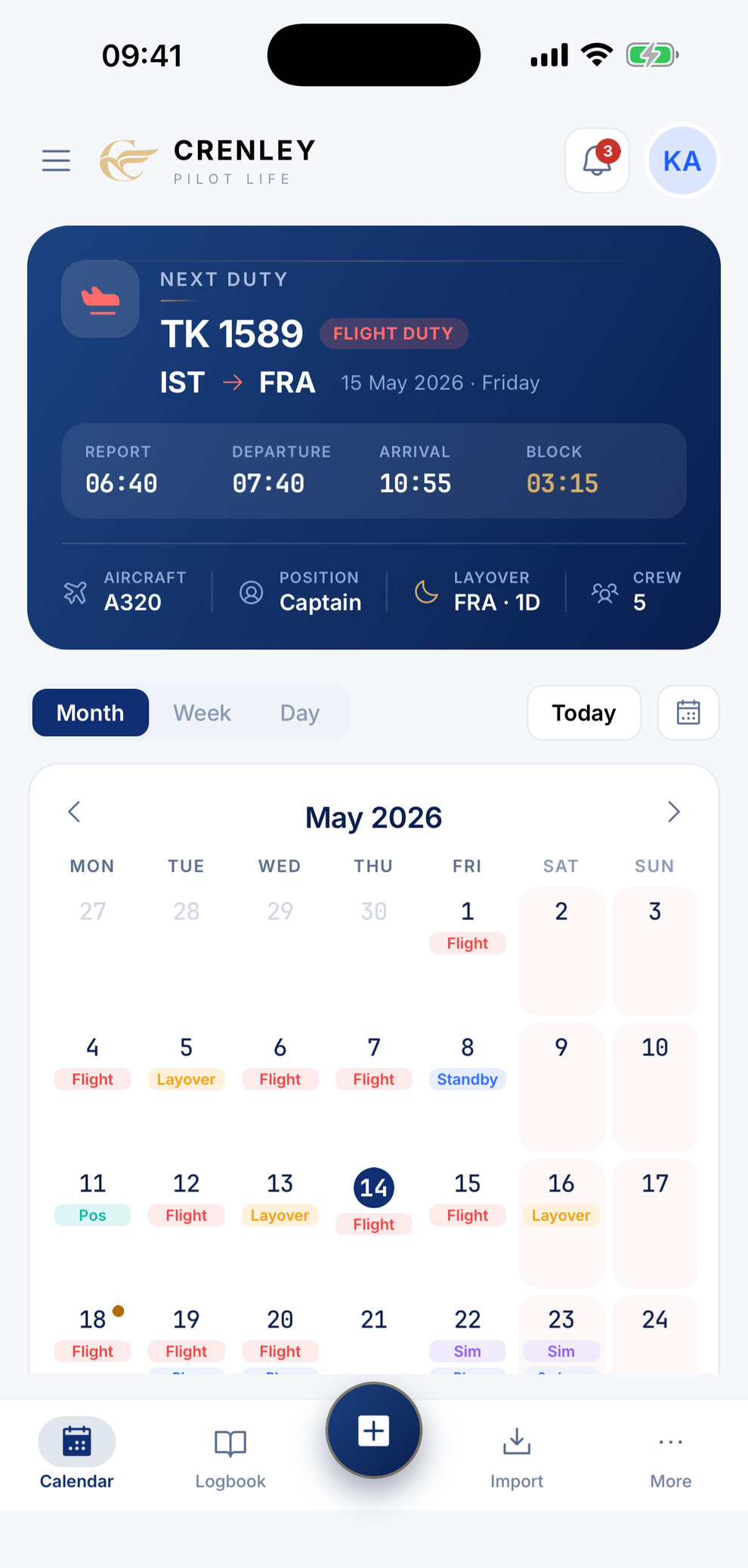
Calendar with next duty and month view

Flight review

You confirm. Then it's a record.

Planned sectors become logbook entries only after you review the actual times. Suggestions are shown, never applied on their own.

  • Flight-time scan

    Photograph the MCDU or an ACARS printout; OOOI times are read on your phone and shown for checking.

  • Plausibility checks

    Times that don't add up — out before off, block shorter than airborne — are caught before saving.

  • Crew and function

    PIC, co-pilot, PICUS or relief, with the commander taken from the roster when it is clear.

  • Night time, computed

    Night per EASA FCL.010 — civil twilight at the airports you fly between — and IFR per sector.

Import centre

Logbook

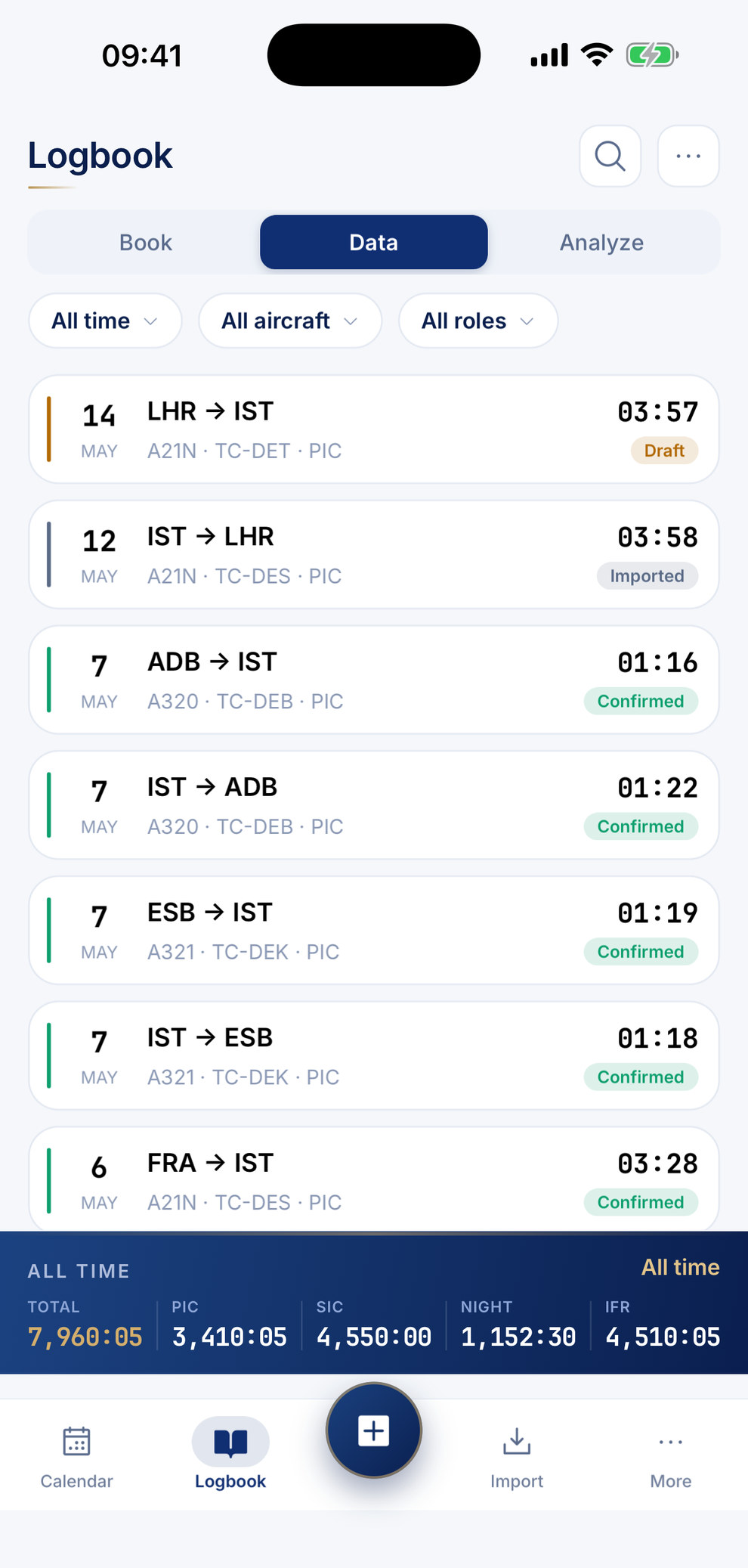
Book, Data and Analyze.

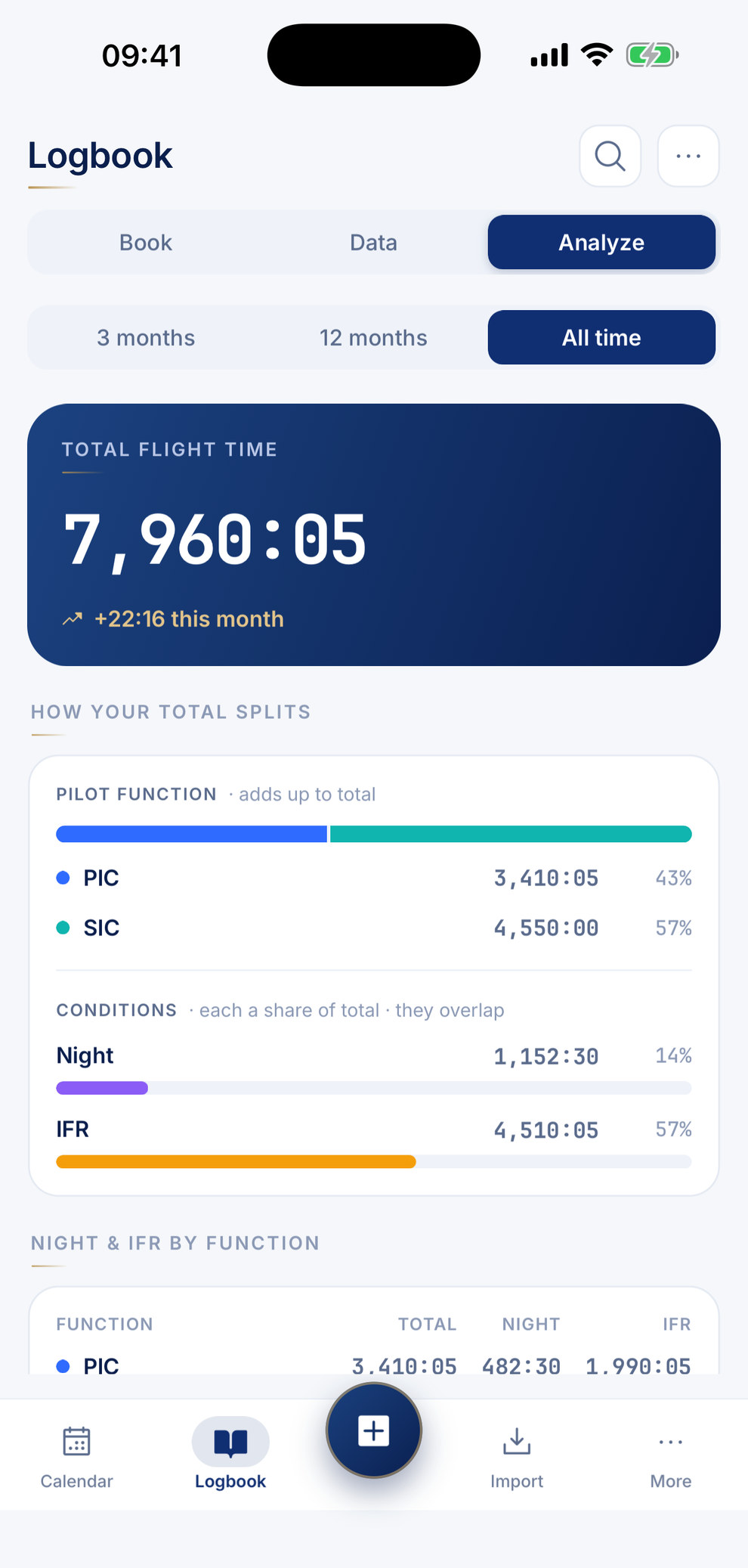
The same trusted record, three ways: the familiar page layout, a searchable list of every sector, and totals that explain themselves.

  • EASA-style book

    Columns as FCL.050 lays them out, page by page, with totals carried forward.

  • Analytics

    Total time split by function — PIC, PICUS, co-pilot and more — with night and IFR shown as overlapping shares.

  • Exports

    EASA PDF, Excel and statistics, ready for a training department, an authority or an application.

  • Your history, brought in

    Excel or CSV, another logbook app's export or your airline's logbook PDF — reviewed before it lands. Brought-forward hours from a paper book too.

  • Simulator & training

    FSTD sessions and other experience logged separately, the way the regulations count them.

  • Manual entries

    Add a single sector whenever the roster didn't have it.

Logbook data view
Logbook analyze view

Shared Life

For the people waiting at home.

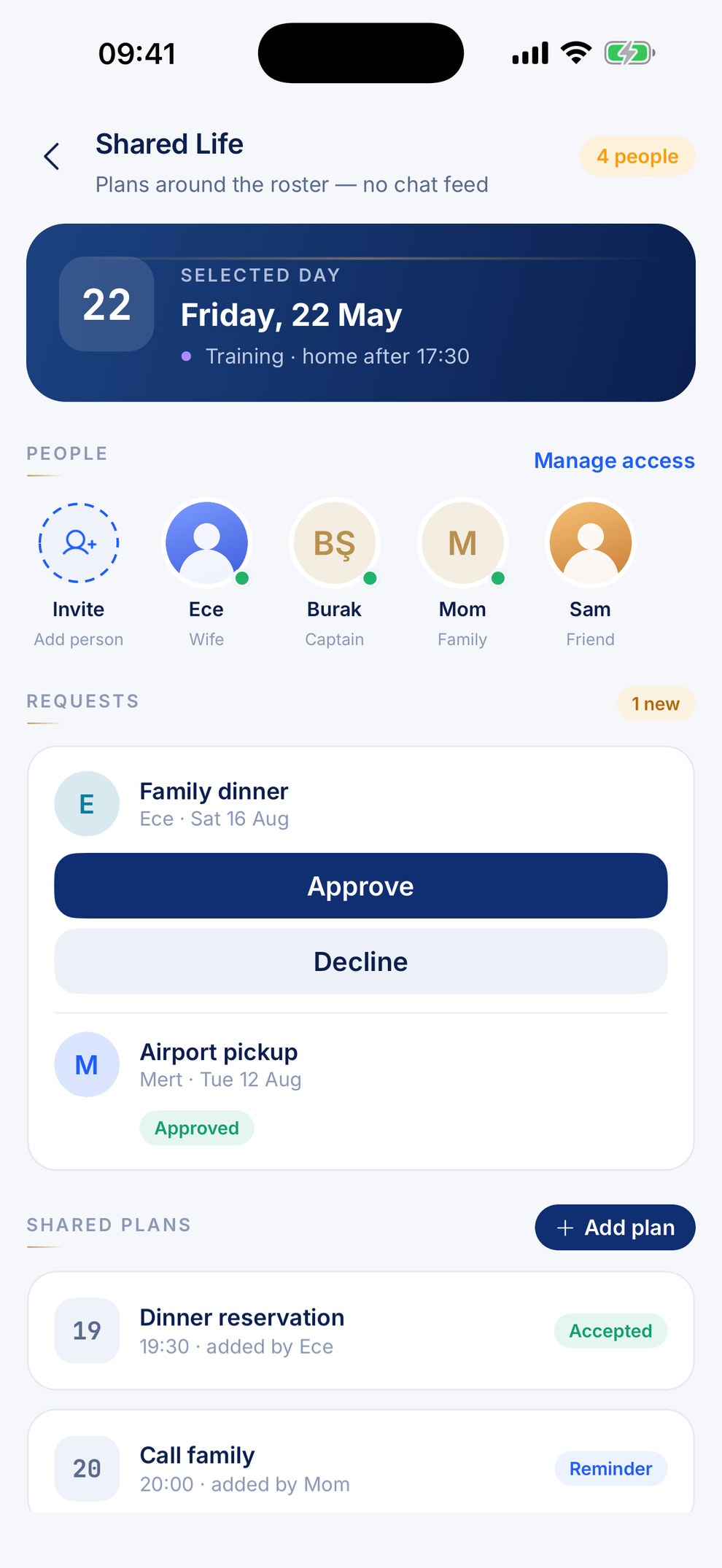
Give family and trusted people a view of your days — as much or as little as you choose — and let them plan around the roster without asking for screenshots.

  • Per-person access

    An access level and the operational detail for each person. Temporary access ends on its own.

  • Shared plans

    Dinners, pickups and reminders on free days — added by you or suggested by them.

  • Requests you approve

    A suggestion stays a suggestion until you accept it.

  • Follow a pilot

    Family can follow your shared calendar from their own phone — never your logbook.

Shared Life screen

Career

Ready for the next seat.

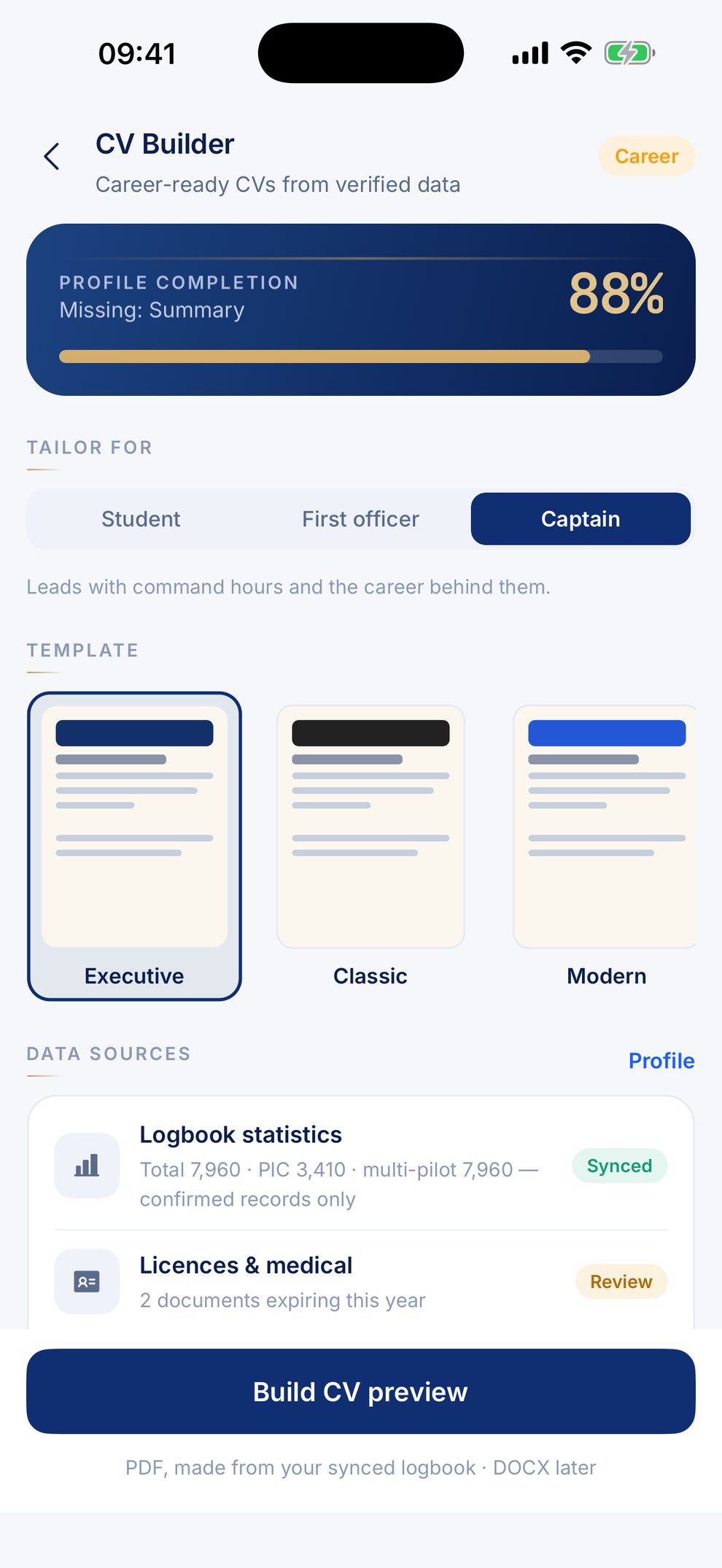
The CV Builder writes a professional CV from data you have already confirmed, tailored for a cadet programme, a first officer post or a command.

  • Templates

    Executive, Classic and Modern layouts, each made for airline recruiters.

  • Verified hours

    Totals, PIC and multi-pilot time straight from confirmed records only.

  • Licences & medical

    Ratings, licences and medical with expiry reminders.

  • PDF

    A clean PDF to send, print or attach to an application.

CV Builder

Under the hood

Built to the standard pilots are held to.

Sync across devices

iPhone and Android, the same account, always up to date. Conflicts are shown, not overwritten.

Offline first

Everything works without a signal; changes queue and sync when you land.

App lock

Face ID or fingerprint before the logbook opens.

EASA FCL.050

Columns, functions and totals laid out the way the regulation records them.

Global formats

UTC times, ICAO and IATA codes, ISO dates — readable anywhere.

Backed up as you fly

Synced the moment you are online; encrypted off-site copies every six hours, for as long as you use Crenley.

Fly your next month with Crenley.

Download Crenley for iPhone or Android and try every feature free for 14 days. Your logbook is backed up from the first flight you add.